


AI Tools
The best 20 AI tools in 2025 enable users to perform efficiently on numerous functions. These include AI assistants such as ChatGPT, Gemini, and Claude, which conduct tasks ranging from writing to research. Video production tools such as Synthesia and OpusClip assist you in making videos, while Midjourney and Canva Magic Studio are at the forefront of image production. Meeting tools such as Fathom automatically capture key points. Automation platforms such as Manus and n8n make work easy. Coding assistants such as Lovable and Cursor help programmers. Notion Q&A and Reclaim calendar improve efficiency. ElevenLabs builds voice generations. These AI tools enhance your productivity and precision on a day-to-day basis.
Best 20 Ai Tools to Increase Productivity
-
ChatGPT

ChatGPT
ChatGPT, OpenAI’s conversational AI, assists you with various tasks in natural language. ChatGPT in 2025 can accept text, voice, and image inputs and enable you to interact more conveniently. It composes emails, articles, and code, responds to questions, and aids in research. You can turn on features such as web browsing and file upload to augment ChatGPT’s capabilities. The most recent update, GPT-5, provides a better understanding, more prolonged memory, and tailored responses. ChatGPT also integrates into apps such as Gmail and Google Calendar to help boost productivity. It functions by text prediction using massive datasets, which ensures conversations flow effortlessly and pertinently. This AI app is ideal for individuals and organisations seeking to enhance communication and task processing. You can find ChatGPT on web, mobile, and desktop interfaces with free and paid subscriptions.
Category: AI Assistant
Use Case: General-purpose AI assistant for writing, coding, and research.
Features: Supports multimodal inputs, including text and images. Offers a vast knowledge base and can handle long-form conversations.
Pricing: Free tier available; subscription model for advanced features.
-
Google Gemini
Google Gemini
Google Gemini is a Google AI assistant that assists users in writing, planning, and brainstorming. It processes natural language, so users can speak or write to it like a personal assistant. Gemini is deeply integrated with Google applications like Calendar, Drive, and YouTube to make it easier for users to organise tasks without having to jump between apps. It provides features such as visual navigation with the camera, deep research capability, handling huge amounts of data, and creation of videos and images. Gemini is a multilingual assistant that provides customised answers with reference to the user’s choice and search history. It focuses on enhancing productivity and making multi-step workflows easy on desktop and mobile. Google keeps adding new features to Gemini to help people with a vast array of daily and work-related tasks.Category: AI Assistant
Use Case: Personal and professional assistant tasks.
Features: Integrates seamlessly with Google Workspace. Known for its creative capabilities, especially in image editing.
Pricing: Free with optional premium features.
-
Claude 3
Claude 3
Anthropic created Claude 3, the most recent AI assistant model series. It has three versions: Claude 3 Haiku, Sonnet, and Opus, which strike a balance between speed, intelligence, and affordability. Claude 3 Opus has the most reasoning capacity and tackles sophisticated tasks with human-like insight. Sonnet strikes a balance between performance and affordability and is suitable for business use. Haiku focuses on speed and affordability for real-time applications. Claude 3 models possess sophisticated reasoning and a huge context window of 200,000 tokens. They are also able to comprehend text and images. They display fewer refusals and are more able to implement complex instructions. Claude 3 models support multiple languages and drive live chats, coding, and data analysis. Users use claude.ai, APIs, and cloud platforms to access Claude 3. It distinguishes itself on grounds of safety, ethics, and wider context handling compared to other AI algorithms.
Category: AI Assistant
Use Case: Writing, summarisation, and coding.
Features: Emphasises safety and ethical considerations in AI interactions.
Pricing: Subscription-based.
-
Perplexity AI
Perplexity AI
Perplexity AI, which is a search engine powered by AI, provides accurate, real-time responses and offers source citations. It integrates natural language processing and live web search to provide you with accurate and current information. Users are able to have multi-turn conversations and pose follow-up questions for more context. Perplexity AI provides a distinct feature known as Deep Research that performs in-depth research automatically and provides detailed reports by examining multiple sources. The platform is compatible with various advanced AI models, both open-source and proprietary, such as Sonar and GPT-5. It is committed to transparency by quoting all its sources so that users can easily authenticate the information. Perplexity AI is compatible with both web and mobile platforms and has both free and Pro subscription options for extended usage. It increases
Category: Research Assistant
Use Case: Information retrieval and summarisation.
Features: Provides direct answers with sources, enhancing research efficiency.
Pricing: Free with optional premium features. Productivity is achieved by accelerating research to be quicker and more dependable for professionals, students, and general users.
-
Midjourney

Midjourney
Midjourney generates images from text instructions and is an AI image generator. Midjourney started on Discord and now has a web app for convenience. Midjourney generates high-quality, artistic images with a regular level of quality. Users personalise images with various styles and blending methods. The tool makes generated images publicly available by default, but a stealth mode makes them private. Midjourney does not have a free trial; it operates on subscription, with prices beginning at $10 per month. It has commercial use of images. Midjourney also prioritises features such as image upscaling and reference styling, which draw people to it for artistic projects and advertising.
Category: Image Generation
Use Case: Creating artistic and realistic images from text prompts.
Features: Known for its high-quality, detailed images.
Pricing: Subscription-based.
-
DALL·E 3
DALL·E 3
OpenAI launched DALL·E 3, the most recent text-to-image AI model, in 2023. It creates high-quality, precise images from natural language input. The tool can be used in conjunction with ChatGPT, enabling users to edit images via conversation. DALL·E 3 is a step up from earlier versions; it is better at understanding complicated prompts and creating more nuanced text and facial features in images. It provides flexibility in style, from photorealistic to digital art. It is accessed by users through ChatGPT Plus or a business API. DALL·E 3 has safety features to avoid dangerous content and is respectful of copyright. It assists creators, marketers, and teachers with easy creation of custom images using little design knowledge. It simplifies image generation and caters to different professional purposes.
Category: Image Generation
Use Case: Generating images from textual descriptions.
Features: Offers inpainting and outpainting capabilities.
Pricing: Pay-per-use model.
-
Google Gemini Nano Banana
Nano Banana
Google Gemini Nano Banana is a lighter version of Google’s Gemini AI assistant that assists users with speedy, routine tasks. Users communicate with it naturally by typing or voice, and it assists users with research, writing, and organisation. The tool works with Google apps and provides visual guidance when users share their camera or screen. Gemini Nano Banana offers quick responses and multi-language support. It seeks to increase productivity by helping users schedule, create content, and fix issues. This iteration works well on smartphones, allowing users to stay organised and get work done through simple, natural language conversations. It signals Google’s shift towards making AI usable every day.
Category: Image Editing
Use Case: Editing and enhancing images with AI.
Features: Allows users to modify images using simple text prompts.
Pricing: Free with optional premium features.
-
Synthesia
Synthesia
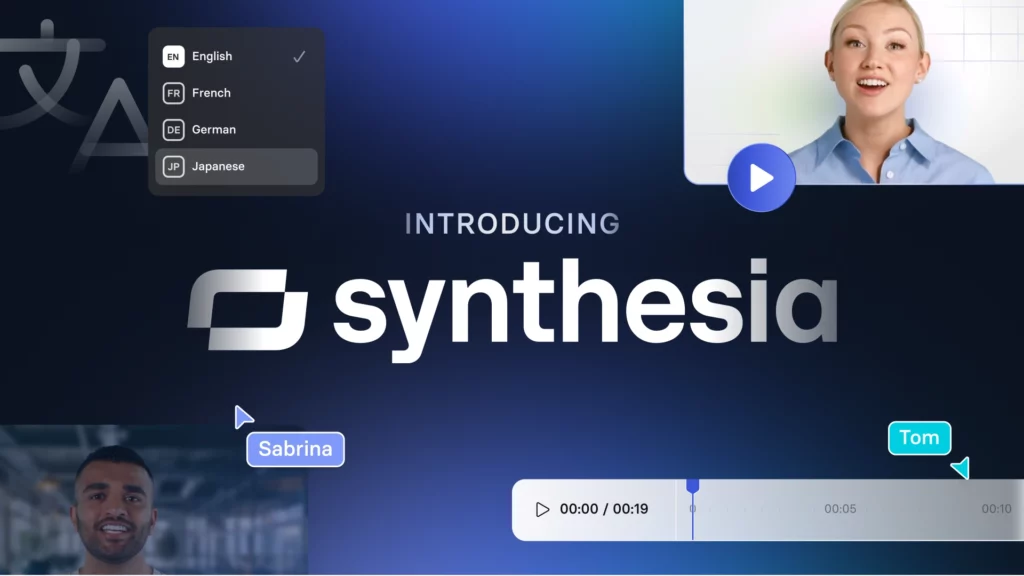
Synthesia, a video creation platform based on AI, generates professional videos with life-like AI avatars. Users can instantly convert text, documents, and URLs into videos without recording. The platform allows for more than 230 avatars and 140 languages, making it practical for international audiences. Synthesia enables users to personalise avatars, backgrounds, and voiceovers. It also provides simple editing and video updates. Companies utilise Synthesia for training, marketing, and customer service videos. Synthesia also accommodates team collaboration and incorporates branding features such as colours and logos. It exports videos in MP4 and assists you in automating video production through its AI capabilities for scalability and localisation.
Category: Video Generation
Use Case: Creating AI-generated videos with avatars.
Features: Supports over 140 languages and offers a wide range of avatars.
Pricing: Subscription-based.
-
Runway

RunwayML
Runway’s artificial intelligence platform assists content creators in creating and editing videos and images in a matter of minutes. It provides such tools as AI video editing, background removal, motion tracking, and text-to-video. Runway allows for video creation from text input and retouching old footage with various styles. The platform facilitates real-time collaboration by allowing teams to work together simultaneously. It also includes robust generative AI models such as Gen-4 for repeatable character and scene generation. You can access Runway via its web interface and with an internet connection. Subscribers can begin with a basic plan that allows them to have limited access and credits. Filmmakers, marketers, and content creators employ Runway to simplify and accelerate video production processes.
Category: Video Editing
Use Case: AI-powered video editing and effects.
Features: Real-time collaboration and advanced editing tools.
Pricing: Subscription-based.
-
OpusClip
OpusClip
OpusClip is a video editing AI application that converts long videos into short, captivating clips. Users can upload videos or share links from websites such as YouTube. OpusClip’s AI examines the content, pinpoints action moments, and generates clips with seamless transitions, captions, and layouts. OpusClip allows videos of up to 30 GB and 10 hours in duration. It provides functionalities like auto-captioning across more than 20 languages, customizable templates, and social media format video cropping. The tool assists you in making video editing easy without the need for manual ability. You can download clips or export them directly to sites like TikTok and Instagram from the platform. OpusClip is ideal for creators looking for speedy, quality video content for social media and marketing purposes.
Category: Video Editing
Use Case: Transforming long videos into short, engaging clips.
Features: Automatically detects key moments for clipping.
Pricing: Subscription-based.
-
ElevenLabs
ElevenLab
ElevenLabs offers AI voice creation software that turns text into natural-sounding audio. It has support for more than 70 languages and various voice types. This enables you to produce natural-sounding speech with subtle intonation and emotion. You can replicate voices with a few seconds of audio, personalise pitch, rate, and tone, and save your preferred voices. The platform benefits content creators by allowing them to quickly create voice captions, podcasts, and narrations. It also offers APIs so you can add it to your apps or software. ElevenLabs prioritises voice quality, emotional intelligence, and usability, making it a good fit for various audio projects in 2025.
Category: Voice Generation
Use Case: Generating realistic human-like voices.
Features: Offers voice cloning and emotion detection.
Pricing: Subscription-based.
-
Murf
Murf AI
Murf’s AI-powered voice generator platform turns text into natural speech. It provides users with more than 200 realistic voices in over 20 languages. Users can personalise a voice’s tone, speed, and pitch to meet their content requirements. Murf features sophisticated capabilities such as voice cloning, pronunciation libraries, and emotion control. The platform facilitates use cases involving audiobooks, video voiceovers, podcasts, and e-learning narration. It is integrated with well-known tools and gives creators and businesses a user-friendly interface. Murf enables users to create professional audio efficiently and at a lower price, making it suitable for content creators and businesses.
Category: Voice Generation
Use Case: Creating voiceovers for presentations and videos.
Features: Provides a wide range of voice styles and languages.
Pricing: Subscription-based.
-
DeepL
DeepL
DeepL is a machine learning-based translation program that users identify with due to its precision and its capacity to maintain text context and meaning. It employs sophisticated neural networks to examine whole sentences, which enables it to generate natural, flowing translations. DeepL translates between more than 30 languages with emphasis on European and popular languages. It provides functionalities that translate complete documents in Word, PDF, and PowerPoint formats with the original layout intact. DeepL supports customisation, including glossaries for certain terminology. It is accessible via browser extensions, desktop applications, and APIs for an effortless integration into the workflow. DeepL is used by people and companies alike for accurate translations within professional and academic environments, and they depend on it for effective communication between languages.
Category: Translation
Use Case: Translating text between multiple languages.
Features: Known for its accuracy and natural-sounding translations.
Pricing: Free with optional premium features.
-
Jasper AI

Jasper AI
Jasper AI provides marketers, companies, and content creators with an AI-based content creation platform. The platform allows users to create different kinds of content, such as blog posts, ad copy, product descriptions, and email campaigns. Jasper AI has over 29 languages supported and over 50 writing templates to suit marketing requirements. It has tools to ensure consistency in brand voice, tone customisation, and SEO optimisation. The platform has a document editor, plagiarism detector, and live collaboration. Jasper AI employs cutting-edge AI models to create quick, relevant, and precise content, making content creation easy for users in various industries.
Category: Copywriting
Use Case: Creating marketing copy and content.
Features: Provides templates for various writing needs.
Pricing: Subscription-based.
-
Rytr
Rytr
Rytr is an artificial intelligence writing aid that enables users to generate unique content in a matter of minutes. It has more than 30 language options and more than 40 applications, including articles, email, and product descriptions. Users can select from over 20 tones based on their writing tone. Rytr has an AI writer that produces content from user input and keywords, and a rich text editor to edit drafts. It has tools for rewriting, extending, abbreviating, and enhancing text. Rytr also has SEO assistance with keyword extraction and meta description creation. It is appropriate for content creators, freelancers, and companies that look for an effective writing aid.
Category: Copywriting
Use Case: Generating content for blogs, emails, and social media.
Features: Offers multiple tones and languages.
Pricing: Free with optional premium features.
-
Sudowrite
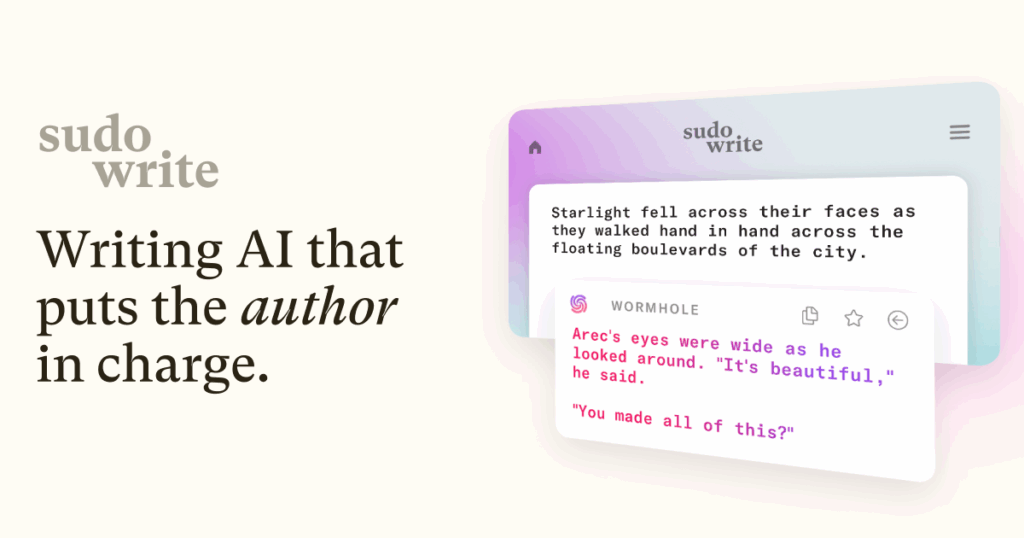
Sudowrite
Sudowrite enhances writers’ creativity and overcomes writer’s block. It provides functionality such as brainstorming, character creation, and scene creation to aid creative writing. Sudowrite uses your writing style and context to provide you with suggestions that improve flow and detail. You can use it as a writer for novels, short stories, poetry, and other forms of writing. Sudowrite gives you tools to rephrase text, lengthen descriptions, and come up with fresh ideas. It assists the users by providing useful prompts and suggestions according to their input. Sudowrite is used by most writers to accelerate their writing pace and enhance storybuilding. The utility leans towards generating innovative content instead of only correcting grammar.
Category: Creative Writing
Use Case: Assisting in creative writing and storytelling.
Features: Provides brainstorming and idea generation tools.
Pricing: Subscription-based.
-
Canva Magic Studio
Canva Magic Studio
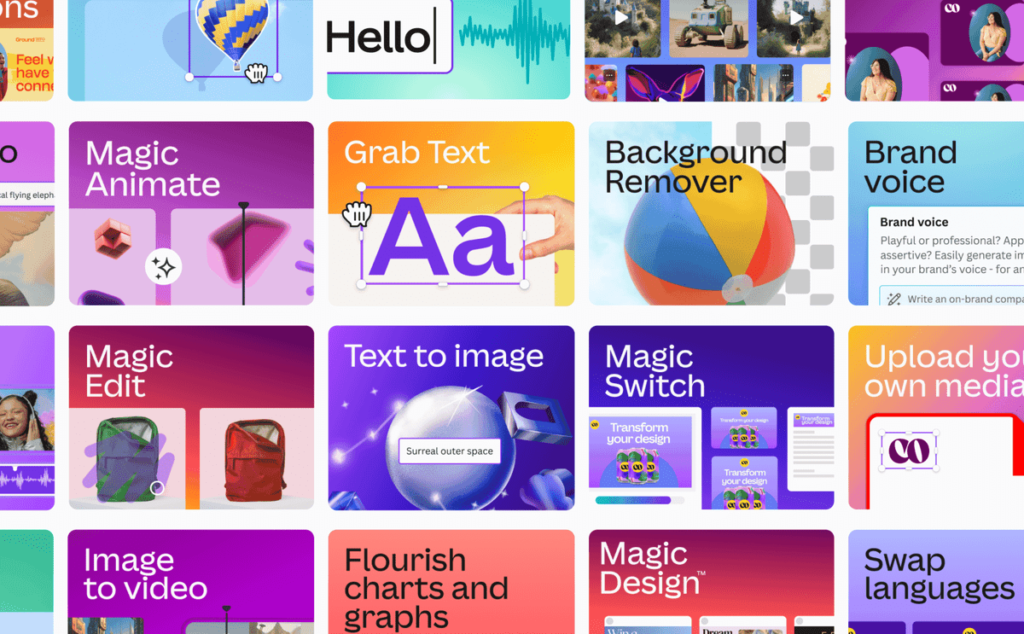
Canva Magic Studio provides a suite of AI tools to facilitate the creative process. Users create images and videos based on text inputs with Magic Media. Magic Edit allows users to insert, substitute, or modify portions of images via a simple text input. Magic Eraser quickly deletes unwanted objects in images. Magic Design assists in creating layouts and templates based on user input or uploaded material. Magic Animate uses AI-powered animations and transitions automatically. Magic Write helps in generating text with a tone consistent with the user. They collaborate within Canva to speed up design work so content creation is quicker and easier for individuals or teams.
Category: Graphic Design
Use Case: Designing graphics and presentations.
Features: AI-powered design suggestions and templates.
Pricing: Free with optional premium features.
-
QuillBot

QuillBot
QuillBot is a computer program writing assistant that assists users in enhancing and rephrasing their texts. It has a paraphrasing tool with various modes to alter the writing style and tone. The site also contains a grammar corrector to repair mistakes and a summarizer to shorten long texts into brief versions. QuillBot has citation generation for scholastic writing and a plagiarism checker to maintain content originality. Its AI Chat functionality assists in brainstorming and creating new material. QuillBot supports integrations into platforms such as Google Docs. It is appropriate for students, professionals, and content creators seeking to polish writing and create clear and well-structured material effectively.
Category: Writing Assistant
Use Case: Paraphrasing and summarising text.
Features: Offers grammar checking and plagiarism detection.
Pricing: Free with optional premium features.
-
Looka

Looka
Looka, an online AI platform, assists you in making logos and brand identities. It allows you to create hundreds of logos from your business name and sector. You can make changes to colours, symbols, fonts, and layouts using its simple editor. Looka also offers a Brand Kit with more than 300 business card, social media, and marketing material templates. The platform provides you with high-resolution logo files in multiple formats, such as PNG, SVG, and EPS, for digital and print. Although you can create logos for free, you’ll have to pay to get high-resolution files and to use premium functionalities. Looka is ideal for startups, freelancers, and small businesses that need to establish a professional brand identity quickly using AI technology.
Category: Graphic Design
Use Case: Creating logos and brand identities.
Features: Offers customizable design templates.
Pricing: Pay-per-use model.
-
Fathom

Fathom
Fathom, a meeting assistant powered by AI, records, transcribes, and summarises Zoom, Google Meet, and Microsoft Teams calls in real-time. It captures action items and key points automatically, enabling you to concentrate on the conversation rather than note-taking. Fathom offers precise transcripts with speaker tagging, and it supports users in marking significant points in meetings. Fathom offers collaborative capabilities such as real-time commenting as well as keyword alerting. It is also integrated with major CRMs such as Salesforce and HubSpot, copying the meeting summaries to ease workflows. Fathom has a free plan and hopes to minimise the amount of post-meeting work by producing concise, actionable meeting notes that teams can easily share and refer to.
Category: Meeting Assistant
Use Case: Summarising and analysing meeting discussions.
Features: Integrates with video conferencing tools.
Pricing: Subscription-based.
Conclusion
The above 20 best AI tools assist professionals and artists by providing automation of mundane tasks and enabling creative workflows. Users select tools based on requirements such as writing, coding, design, video, or meeting management. The tools continue to increase in functionality and usability, making AI an integral part of daily work. Utilising the AI tools assists you in time saving and enhancing outcomes across a variety of industries, ensuring that you remain competitive and productive.